A digital inkjet printer uses inkjet technology to apply high-resolution images directly onto materials including plastics, glass, metal, and wood. These systems are commonly used for industrial, promotional, and product decoration applications. Here are the top 10 questions to consider before buying a digital inkjet printer:
1. Why do you need a digital inkjet printer?
Businesses typically invest in a new, technologically advanced digital inkjet printer to keep up with the competition. You may have hit certain limitations with traditional printing methods such as image size and color capabilities, or the. variety of substrates available for printing. In addition to greater design flexibility, a digital inkjet printer reduces your carbon footprint and moves away from solvent-based printing. Without as many consumables as traditional printing methods, inventory becomes much more manageable.
Questions to ask when considering a digital inkjet printer:
- If this a whole new avenue for your business?
Don’t worry, the digital printing process is relatively easy to learn. With this printing method, there is much less manual labor and consumables required compared to traditional methods.
- Do you already use similar printing technology?
If you are already familiar with digital inkjet printers, it may simply be time to upgrade to the latest technology. If you are looking to replace an existing printer, think about why. Are you replacing an older, outdated model? Has the brand and model been reliable?
- Do you want to switch to a new printer brand?
If you’ve had issues with your current model or supplier, consider switching to a brand with high quality products and more reliable service. If you are loyal to a specific brand but feel their products are not keeping up with technological advances in the industry, take the time to do additional research on other flatbed manufacturers
- Are looking to add to your current production line?
Compare the capabilities of each machine you have with those you are looking to purchase. Make sure this new addition will add value to your current production processes. If you are already used to working with machines from different brands, you will have to adjust to a new machine with different operating settings and software.
- Are you offering a new product that requires a digital inkjet printer?
If you are offering a product that is customized, a digital inkjet printer is the best option. Inkjet printing is the most cost-effective solution for low-volume, high-mix production runs.
- Do you need to print larger images or multi-colored designs on your product?
You’ll need a digital inkjet printer. Choosing the right system, and an experienced supplier, ensures optimal results for your specific application. Ideally, you want to look for a supplier that provides application consulting based on extensive experience working with many different substrates to recommend the best solution.
2. What will your digital inkjet printer be used for?
UV flatbed printers can print on almost any substrate, with some limitations. Key considerations include:
- Substrate compatibility: Most materials are supported, but highly reflective surfaces (like mirrors) can damage print heads.
- Surface shape: Flat and slightly curved items print best; highly curved surfaces may reduce image quality.
- Product size: Ensure the printer accommodates the height and dimensions of your items.
A digital inkjet printer is great for printing on promotional items, electronics, industrial products, and more. Some common applications include magnets, keychains, pens, and USB drives. Keep in mind the size of the object you want to print and the capabilities of each printer.
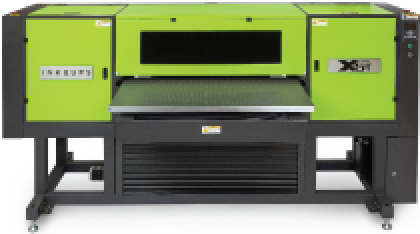
For instance, if you want to print on taller products such as sports balls, coolers, or any tall flat hard goods, the Inkcups X5-T Flatbed UV Digital Printer is the solution for you..
- Adjustable table enables printing on taller items up to 20 inches in height
- Provides flexibility to print both short and tall products as your needs evolve
- Supports future growth by accommodating a wider range of applications
Whatever you wish to print on, make sure the printer you choose is exemplary for your intended applications.
Additional Resources: Which Digital Print Bed Is Right for You? Conveyor VS Flatbed
3. What type of maintenance will I need?
All digital inkjet printers require maintenance. Daily maintenance occurs in regular intervals during the morning, midday and at night. It is important to factor in how much time the operator is going to spend on maintenance.
Most flatbed maintenance tasks are automated such as purging (using air to push ink through the print heads) followed by a rubber wiper that wipes excess ink off the print heads. The machine will automatically clean ink mist off head plates and UV lamps.
Although you should find a reliable supplier who offers maintenance support, also consider these steps:
- Train operators to perform routine maintenance tasks in-house to reduce costs and improve efficiency
- Ensure all maintenance procedures are clearly documented and included in training materials
- Provide access to remote support (phone, computer, or video) for quick troubleshooting
- Choose a supplier that can offer on-site service when remote support is not sufficient
4. What type of supplies will I need?
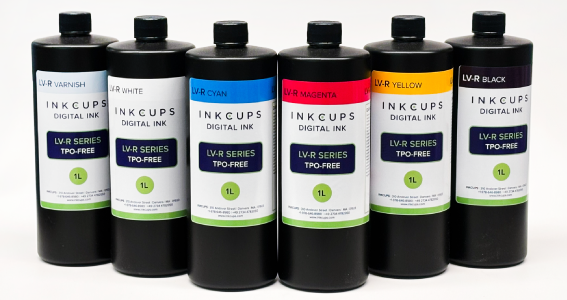
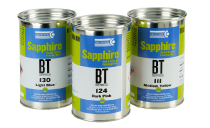
Along with the printer itself, you will need to purchase UV inkjet inks, inkjet printing primers, inkjet auxiliary items, and inkjet spare parts. Every printer has an ink storage system that holds each color ink until the printer sends the signal to release a color onto the substrate. Read our All About Ink Series: Ink Storage Systems guide to learn about which system is best for your print project.
Primer is applied to a part prior to printing to promote adhesion and increase abrasion resistance. As a general rule of thumb, the less variety of ink, the more primers there are. Inkjet auxiliary items include supplies you’ll need to maintain your inkjet printers such as:
- Nozzle restore
- Flushing solution
- Nozzle sauce (cleaner)
- Magic paste (remove ink from glass or stainless steel, great for misprinted items)
Spare parts are also critical to keep on hand in order to fix any issues with the machine quickly. Check with your digital inkjet printer manufacturer to see if they have a spare parts kit, which should include common parts that wear down such as an ink pump, rubber wiper and filters.
You’ll also need fixtures to print on non-flat substrates. The size and shape of a fixture is customized to fit each product that will travel along the bed of a UV digital printer. If using your own fixture, it’s important to use a matte black finish, as reflective materials can damage print heads and may void the warranty.
Additional Resources: What kind of part fixture do you need?
Inkcups’ spare parts service
5. What type of training will I need?
There are two types of training you will need after purchasing a digital inkjet printer:
- Software training focuses on artwork preparation and system operation. This includes learning how to create and upload designs using programs like Adobe Illustrator or Photoshop, as well as becoming familiar with the printer control system (PCS) and raster image processing (RIP) software. This training is typically provided during installation and setup to ensure operators can efficiently run production from day one.
- Maintenance training covers the routine tasks required to keep the printer operating at peak performance. All procedures should be clearly documented in a step-by-step standard operating procedures (SOP) guide provided during installation. Operators should be trained in both daily and scheduled maintenance, and many businesses use calendar-based tools to track tasks (such as setting reminders to replace print head filters every three months) to ensure consistent upkeep and avoid downtime.
Inkcups technicians have found that it is optimal to train one or more higher level operators that will divide job responsibilities on the machine. The training process can become complicated when too many people are trying to learn the same thing at once. Therefore, it’s best for primary machine operators to develop a strong understanding of how the equipment works and the maintenance it requires.
Additional Resources: Inkcups’ Training and Advising
6. What type of service is available?
You’ll want a supplier who offers 24/7 technical support around the globe. Technical support should be available in multiple languages. With every machine purchased, training should be provided on how to properly set-up, operate, and clean the machine.
If technical problems arise, remote assistance should be available to get the machines up and running as fast as possible. In case remote support is found to be insufficient, you’ll want suppliers who are close by in case on-site support is necessary. In addition, it is always important to inquire about a warranty plan. Warranties for digital inkjet printers can help to cover support and common spare parts.
7. What are my alternatives to a digital inkjet printer?
There are three common alternatives to a digital inkjet printer: pad printing, screen printing, and thermal transfer.
- Pad printinglimits you to spot color printing rather than process printing, where the color is typically defined as a PMS shade. The image size is limited to 90-200 mm. Because pad printing inks are solvent-based rather than UV, it requires more additives to prep. The process includes etching a plate (cliché) with a laser-maker and finding the right pad durometer for your application. The set-up and changeover time are typically longer than the setup of a digital inkjet printer which deters people from choosing this method.
- Screen printing is a very quick process, but you are increasing the number of consumables and decreasing design capabilities. Not only does screen printing require a mesh screen, squeegee, and exposure unit, as well as other supplies, but it also requires a lot of physical room. There must be space for drying racks to lay the screens and a washout station to rinse the stenciled area out of the screen after exposure.
- Thermal transfer (or heat) decoration isn’t limited by design size or color, but its biggest downside is that it cannot be digitized. The adhesion between the design and substrate tends to be weaker with decals than with inks.
Digital printing offers four color process printing (cyan, magenta, yellow and black). The design is created when the colors in the artwork are separated and converted to dots (halftones). Although there are only three primary colors used, the overlapping of the colors and printing halftones simulates a larger color palette. Since the process is all digital, it is easy to select the files you want and load. Once a file is loaded, the printing process begins.
8. How will I integrate the digital inkjet printer into my current production environment?
Integration varies based on your current setup.For instance, if a company does pad printing or screen printing in-house already, they have the option to keep production running as well. Being able to print small designs in 1 or 2 colors with pad printing as well as the ability to print larger, full-color designs with a flatbed increases their capacity to expand and innovate with different products.
Depending on the machines you currently use, software requirements may vary, especially across different brands. It’s important to consider compatibility early in the buying process, as this is often overlooked.
If you are having trouble managing your machines, it is imperative to consult with your machine provider to achieve the most efficient workflow for your business.
9. What are my print cost considerations?
Typically, digital inkjet printers sell for anywhere between $25,000 and $85,000 depending on size, quality, and brand. Remember, this is a big purchase and should be considered an investment. Make sure to research the different brands and models of Digital inkjet printers so you can pick the best printer for your business needs.
You’ll also have to consider the cost of consumables like inkjet inks, rubber wipers, filters, and print heads. Filters include both desiccant filters (found in every ink tank) and last chance filters (found on every print head).
Once you purchase your own machine, you are responsible for all future repairs (depending on warranty terms). When it comes to filling out your cash flow statements, don’t stop at the cost of the printer. Make sure you budget and anticipate additional cost factors such as maintenance, replacement parts, operator wages and consumables. Additionally, with any new machine comes an increase in utility and overhead costs.
10. Should I buy it or lease a digital inkjet printer?
Whether you decide to buy or lease a machine will be strongly influenced by your current financial situation. Given that purchasing a digital inkjet printer is a hefty investment, it is important to weigh the pros and cons of both options.
Buying a Digital Inkjet Printer
Pros:
- Lower total cost over time
- Full ownership of the equipment
- No ongoing monthly payments
- Greater long-term ROI
Cons:
- Higher upfront investment
- Less flexibility to upgrade quickly
- Responsible for maintenance and repairs (depending on warranty)
Leasing a Digital Inkjet Printer
Pros:
- Lower upfront costs
- Easier to upgrade to newer technology
- Predictable monthly payments
- Ideal for shorter-term or evolving needs
Cons:
- Higher total cost over time due to interest
- Ongoing monthly payments
- Additional paperwork and contract terms
Whichever option you choose, you’ll want to buy or lease equipment from a reputable and experienced vendor.
Why Partner with Inkcups
Inkcups is your partner who understands the fast-paced nature of your business and the importance of machine up time. We build long-term relationships and are focused on your success. The Inkcups service organization is a friendly, responsive, knowledgeable, and courteous support team who will go the extra mile to make sure you succeed.
For support services, call Inkcups at 1-978-646-8980 or visit our website for technical support.
For further reading, please visit: UV Printing Technology Explained
 Tagless Printers
 Cylindrical Inkjet Printers
 UV Flatbed Printers
 Pad Printing Machines
 Pretreatment Systems
 Inkjet Printing Auxiliary
 Laser Plate-Makers
 Inkjet Printing Supplies
 Pad Printing Supplies
 Tagless Supplies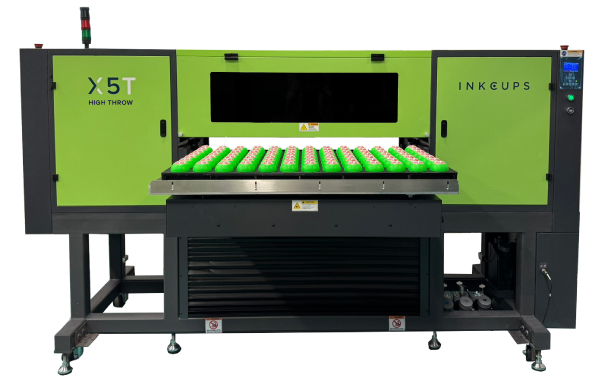
Add Your Comment