UV flatbed printer maintenance involves short daily cleaning procedures, periodic component cleaning and replacement, and proper shutdown preparation. Maintenance tasks typically include the cleaning and inspection of the print heads, nozzle performance, UV lamps, wipers, caps, encoder strip, filters, and carriage components.
This guide serves as an introductory, educational overview of maintenance activities for UV flatbed printers. To best understand your machinery, it is highly recommended that you read your specific manual in its entirety as well as any additional documentation that your manufacturer provides, such as Standard Operating Procedures (SOP). For example, SOP documentation for Inkcups’ UV Flatbed Printers will include:
- Daily Procedures
- Bi-Weekly Maintenance
- Quarterly Maintenance
- Yearly Maintenance
- Mist Extraction Filter Change
- Holiday Shutdown Procedures
- Any other relevant FAQs or Procedures for machine longevity
All UV flatbed printers from Inkcups come with a built-in reminder calendar to notify our customers of the recommended maintenance to perform and when to perform it.
The following information is intended as a general overview; fit is strongly recommended to review your specific machine SOP for detailed instructions, photos and guidance on step-by-step instructions. Additionally, Inkcups offers their customers the Support Hub, which hosts many tutorial videos, explaining the procedures in real time for customers to review.
Where to Start?
You’ve acquired a UV flatbed printer. Now what? Let’s start with where the machine lives. A clean work floor is essential to a successful day printing. Print quality can be affected if the air quality is poor and saturated with dust and debris.
Proper ventilation and a daily cleaning routine will vastly improve your long-term operations while helping you stay within the recommended temperature and humidity levels for your machine. There are also surrounding environmental requirements that should be considered, including a sturdy, level floor, no direct airflow from fans, air conditioners, or open windows, and no direct exposure to sunlight or other UV light sources.
Daily Maintenance Procedures
For the best results, we strongly recommend following morning, midday, and end-of-day maintenance procedures for your UV flatbed printer.
Morning Procedure
To start the day, power on the printer, mist extraction unit, and ink system before performing an automatic cleaning cycle. An Auto Clean is essential because it ensures each print head is purging correctly. A successful Auto Clean will produce a visible pool of ink. Once complete, perform a nozzle check to verify printhead performance.
Midday Procedure
About halfway through the production day, run another Auto Clean followed by a nozzle check. This is also an excellent time to perform a manual head cleaning. Using a swab and flushing solution, gently wipe each print head individually. Then use a lint-free towel with alcohol to clean the head plate and both UV lamps.
End-of-Day Procedure
Before leaving for the day, set aside approximately 15 minutes to complete the end-of-day maintenance routine. Begin by manually cleaning each print head with a swab and flushing solution. Then use a lint-free towel with alcohol to clean the head plate and both UV lamps.
Next, clean the rubber wipers and remove any ink or debris from the capping station. Finish by powering down the printer, turning the ink levers to the off position, and shutting down the mist extraction unit.
Bi-Weekly Maintenance Procedures
In addition to daily maintenance, clean the X-axis encoder strip every two weeks using the recommended cleaning method. Keeping the encoder strip clean helps maintain accurate carriage positioning and print quality.
Quarterly Maintenance
Most UV flatbed printer maintenance consists of small daily tasks, but several important procedures should be completed every three months.
Replace the rubber wipers, clean and lubricate the X-axis carriage rail, and replace the UV lamp filters along with the last chance filters according to the manufacturer’s recommendations.
Yearly Maintenance
Once each year, replace all needle filters and clean the cooling inlets and outlets on the mist extraction unit to help maintain proper airflow and reliable operation.
Holiday Shutdown Procedures
Will your production floor be closed for the holidays? If your UV flatbed printer will remain idle for three days or longer, it is highly recommended that you follow the manufacturer’s extended shutdown procedure.
This process typically includes priming the ink lines with flushing solution and leaving the solution in the print heads for the duration of the shutdown to help prevent ink from drying inside the system.
Maintenance Summary
The table below provides a quick overview of a typical UV flatbed printer maintenance schedule.
| Frequency |
Typical UV Flatbed Printer Maintenance |
| Morning |
Power on systems, activate the mist extraction unit and ink system, run an automatic cleaning cycle, and complete a nozzle check. |
| Midday |
Run another automatic cleaning cycle and nozzle check. Manually clean the print heads, head plate, and UV lamps as needed. |
| End of Day |
Clean the print heads, head plate, UV lamps, wipers, and caps. Then properly shut down the ink, printer, and extraction systems. |
| Every Two Weeks |
Clean the X-axis encoder strip. |
| Every Three Months |
Replace rubber wipers, clean and grease the X-axis carriage rail, and replace designated UV lamp and ink filters. |
| Annually |
Replace needle filters and clean the cooling inlets and outlets on the mist extraction system. |
| Extended Shutdown |
Flush or prepare the ink system according to the manufacturer’s shutdown procedure whenever the printer will be inactive for three or more days. |
FAQs
How often does a UV flatbed printer need maintenance?
UV flatbed printers generally require cleaning and inspection every operating day, with additional procedures performed biweekly, quarterly, annually, and before an extended shutdown. The exact schedule depends on the printer model, production volume, ink system, and manufacturer recommendations.
How long does daily UV flatbed printer maintenance take?
The time varies by machine and procedure. Inkcups recommends setting aside approximately 15 minutes for end-of-day maintenance, in addition to shorter morning and midday cleaning and nozzle check procedures.
What parts of a UV flatbed printer require regular cleaning?
Common maintenance areas include the print heads, head plate, nozzles, caps, rubber wipers, UV lamps, encoder strip, filters, carriage rail, and mist extraction system.
What happens when a UV flatbed printer is not maintained?
Insufficient maintenance may contribute to nozzle problems, inconsistent print quality, contamination, curing issues, equipment downtime, and premature component wear.
Ready to get started? Contact us today.
Additional Resources:
Typical Maintenance for UV Printers
 Tagless Printers
 Cylindrical Inkjet Printers
 UV Flatbed Printers
 Pad Printing Machines
 Pretreatment Systems
 Inkjet Printing Auxiliary
 Laser Plate-Makers
 Inkjet Printing Supplies
 Pad Printing Supplies
 Tagless Supplies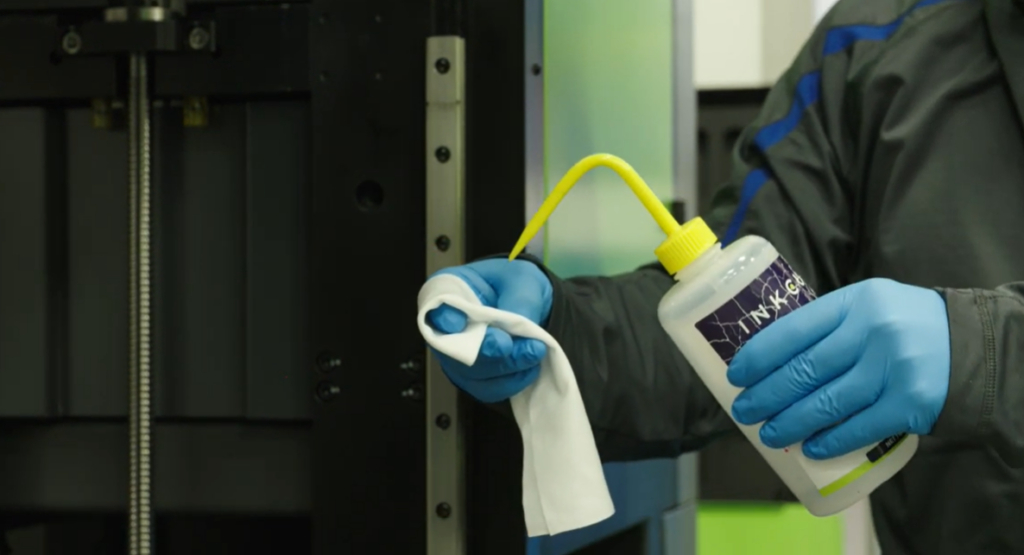
Add Your Comment