Key Takeaways
- UV printers need maintenance on daily, weekly, bi-weekly, monthly, and yearly schedules to keep print quality and up time consistent.
- Printheads and UV lamps require the most frequent attention — cleaning them regularly protects print quality and extends the life of expensive components.
- Inkcups offers remote support within about 10 minutes and resolves roughly 90% of service requests without an in-person visit.
We perform routine maintenance on our cars, our homes, and our bodies — in other words, we’re constantly investing back into the areas that matter most. Your UV printer should be no different. Routine maintenance leads to a smoother printing process and a longer lifespan for parts.
Machine uptime is of the utmost importance on a production floor. Greatly increase uptime by performing routine maintenance on your UV printer, both cylindrical and flatbed. Maintenance is required daily, weekly, bi-weekly, monthly and yearly. Ensure your production output remains consistent by caring for your machine to the best of your ability in the following general areas:
Maintenance Checklist for Your UV Printer
Within and around your UV printer there are key areas to pay attention to. The following areas are vital for good maintenance practices.
Maintain a Clean Environment
A clean work floor is essential — print quality will be affected if the air is poor and saturated with dust and debris. Proper ventilation and a daily cleaning routine will vastly improve your long-run operations.
UV Printhead Cleaning
There are two methods to clean the print head. Print heads are advanced pieces of technology and therefor are expensive items to replace. Print heads can be cleaned manually or with a specialized print system. By cleaning the UV printhead one can both save ink and see the status of the nozzle better. A print head recovery system will restore printheads that have clogs and will increase the longevity of the printhead. Regardless of whether you prefer a manual method or with the help of a machine, printheads need to be regularly cleaned.
Print head cleaning is a necessary part of every shift. For specifics regarding your machine visit your Standard Operating Procedures for the best practices.
Clean UV Lamps
The UV lamp needs to be cleaned much like the print heads. To ensure that your inks will be properly cured the lamps need to be cleaned regularly. UV inks will not dry on their own, and if UV lamps are obstructed, they will not cure the ink. Therefor this is an important area to pay attend to regularly.
Additional Areas to Clean
Other areas to carefully watch and routinely clean include: sensors, filters, and any integrated systems. For instance, the Helix® can have integrated Nano Pin Curing (NPC) and therefor will require additional maintenance on that feature. No two printers are the same, make sure you’re caring for your printing machine to the best of your ability by making sure to service them regularly.
Where to find Maintenance Information?
While this blog post provides a generic overview we highly recommend sitting down and reading from cover to cover your manual as well as any additional information that your manufacturer provided, such as Standard Operating Procedures. Additionally, any UV printer from Inkcups comes with a built-in reminder calendar to remind customers of the recommended maintenance to perform and when to perform it.
Inkcups Maintenance Service and Support Offerings
Inkcups’ customers can access the Support Hub, which is a wealth of knowledge including FAQs, Standard Operating Procedures, Manuals, and more. This is an incredibly beneficial resource and a great place to start.
If you need a more personalized answer, Inkcups offers immediate support for UV printers, typically within 10 minutes. Between phone calls and TeamViewer (screen sharing program) Inkcups can solve 90% of service requests from afar. For the remainder of service calls that need to be addressed in person- Inkcups is a global operation with service readily available worldwide. To view our global footprint, visit our Contact Us page.
For additional maintenance and service insight, listen to Gregg’s podcast,, Digital Service Expectations. This podcast is only 16 minutes long and full of useful printer information. A transcribed version is also available.
Frequently Asked Questions
Q: How often should I clean UV printheads?
A: Printhead cleaning should be part of every shift. Beyond that, follow your machine’s Standard Operating Procedures for the exact frequency recommended by the manufacturer.
Q: What happens if UV lamps aren’t cleaned regularly?
A: Since UV ink only dries when cured by UV light, dirty or obstructed lamps prevent the ink from curing properly, which can lead to smudging, poor adhesion, and inconsistent print quality.
Q: How fast is Inkcups’ service response for UV printer issues?
A: Inkcups typically responds within about 10 minutes and resolves roughly 90% of service requests remotely through phone support and TeamViewer, with in-person technicians available globally when needed.
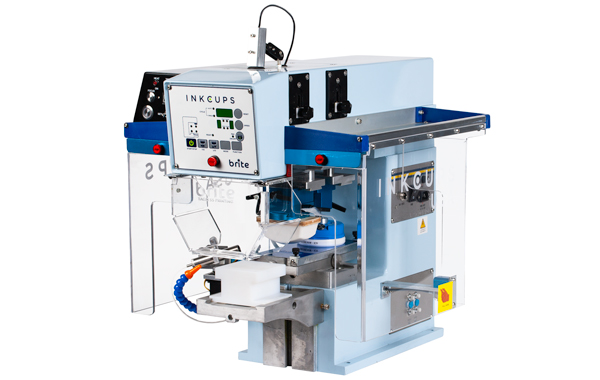 Tagless Printers
 Cylindrical Inkjet Printers
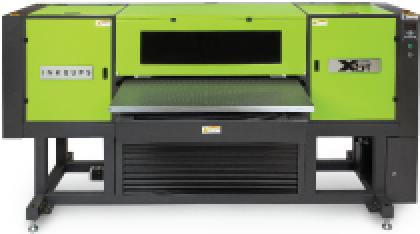 UV Flatbed Printers
 Pad Printing Machines
 Pretreatment Systems
 Inkjet Printing Auxiliary
 Laser Plate-Makers
 Inkjet Printing Supplies
 Pad Printing Supplies
 Tagless Supplies
Add Your Comment