 Tagless Printers
 Cylindrical Inkjet Printers
 UV Flatbed Printers
 Pad Printing Machines
 Pretreatment Systems
 Inkjet Printing Auxiliary
 Laser Plate-Makers
 Inkjet Printing Supplies
 Pad Printing Supplies
 Tagless Supplies
Blog

Pens are the ultimate promotional giveaway. What better way to promote your brand than with a full color, personalized pen? Print customized pens with your logo to create a continual reminder of your brand. UV digital printing adds the ability to produce detailed, full-color graphics directly on the pen while supporting short runs, customization, and faster artwork changes.
For decorators producing multiple designs or smaller quantities, the combination of digital artwork, multi-product fixtures, and instant UV curing can provide a flexible alternative to conventional printing methods.
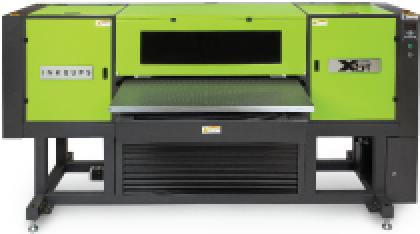
Flatbed UV printers such as the Inkcups X5-T use a custom fixture to hold pens in position while printheads jet ink onto their surfaces and UV LED light cures the ink almost instantly. Printing pens with a UV flatbed printer generally follows these steps:
This video features the X5-T UV flatbed printer printing full color on pens, using the process outlined above. This high-performance digital printer is ideal for continuous printing on pens, notebooks and other promotional products as well as industrial products and more.
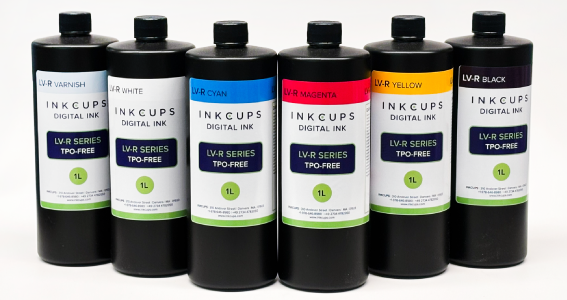
Here, one row of 22 pens is printed at a time (although this machine can print many more at a time). The X5-T prints CMYK plus two highly opaque UV LED-curable white inks, with an optional varnish for additional visual impact. Each print head holds 2 colors of ink. Black and magenta ink are stored in one, while yellow and cyan are in other.
The S1 ink series was chosen for this application as it offers excellent adhesion to plastics. The artwork is transferred digitally from data stored in the inkjet pen printer. Once this inkjet pen printer works its magic, the fixture will travel out of the machine and be ready for unloading. Your pens will be instantly cured and ready to give-away.
If you’re looking to print detailed, full-color graphics directly onto pens and other promotional products, Inkcups’ X5-T High Throw Flatbed Inkjet Printer is built for direct-to-object decoration on a wide range of rigid items. It delivers high-quality, full-color results without the screens or plates required by traditional printing methods.
Learn more about the X5-T High Throw Flatbed Inkjet Printer
Add Your Comment