www.inkcups.com   About Us   Contact Us

Archive for the ‘Pad Printing’ Category

Photopolymer Plate Making Techniques for Apparel Tag Printing

May 23rd, 2011 | Author: Stephen

Photopolymer plate making for apparel tag printing

Photopolymer plate making for apparel tag printing


Here at Inkcups Now we have many customers that make their own photopolymer plates for apparel tag printing. While there are many variations of exposure and baking times, we have tested many methods of photopolymer plate making with our water wash orange plates in order to determine the best method.

PLEASE NOTE: We are using our BPL1220 exposure unit. Exposure times may vary depending upon the power of your exposure unit.

Step 1 – 1 minute exposure with film positive (customer image)
Step 2 – 20 second exposure with 200 line screen
Step 3 – Washout with water for 1 minute
Step 4 – Blot dry with lint free towel
Step 5 – Bake plate in the oven at 170F for 10 minutes
Step 6 – Post cure in BPL 1220 for 20 minutes

This combination produced a deep plate that works well for apparel tag printing. The plate was hard, doctored well, and the cup rode smoothly across with no bowing. Water wash orange plates are the best photopolymer plates to use for apparel tag printing because the plate is harder than other photopolymer plates when fully cured. This reduces the risk of problems that may arise due to soft plates.

Contact Inkcups Now for additional information!

Plates used in this project:
Type: Water Wash Orange Photopolymer
Brand: Inkcups Now
More info: Photopolymer Plates page

Add to Technorati Favorites

Technorati tags: , , ,


Pad Printing on a Flexible Silicone Keyboard with Silicone Ink

April 20th, 2011 | Author: Stephen

Silicone keyboard pad printed with SI Series silicone ink (click to enlarge)

Silicone keyboard pad printed with SI Series silicone ink (click to enlarge)


Pad printing on silicone objects is easier than ever now with our new line of silicone ink! Take a look at this flexible silicone keyboard. We were able to pad print our logo directly onto the surface of the silicone keyboard…and it looks great!

The process was easy. We first mixed the SI Series ink with the specified thinner and hardener. Once the ink was mixed well, we simply poured it into an ink cup and inserted it into the ICN-B100. The silicone keyboard required no pretreatment. Once the ink cured it was fully flexible and was able to bend along with the keyboard.

Want more information? Click here to send us a message.


What would you print on with silicone ink?

Post your answers below!


Ink used in this project:
Series: SI Series Silicone Ink
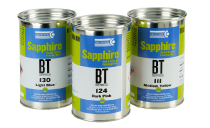
Brand: Sapphire
Color: 160 White
Standard applications: IPod Covers, Wristbands, Oven Mitts, Silicone Bakeware
More info: Sapphire Ink from ICN page

Add to Technorati Favorites

Technorati tags: , ,


Tag Label Printing on Intimate Apparel

April 14th, 2011 | Author: Stephen

Tag label printing is not just for t-shirts anymore! Here at Inkcups Now, we printed on intimate apparel, bras and panties to be exact. The labels came out great on the intimate apparel!

Tag label printing offers numerous benefits to the intimate apparel industry. Intimate apparel is often tight and form fitting. A tight space is not the best place to put a tag, the person wearing the garment will constantly feel the tag. Printed tag labels are pad printed on to the garment, the ink is absorbed into the material, thus no raised surface of the tag and no feeling of the tag whatsoever. Also, intimate apparel is typically made of a light material. A tag tucked away under the material would show through and become visible. Tag printed labels will not show through the material.

If you have not tried tag printed labels on your garments, your missing out!

Want more information? Click here to send us a message.


What’s your opinion of Tag Printed Labels?

Post your answers below!


Printer used in this project:
Type: Semi-Automatic Pad Printer
Brand: ICN-B100
Model: One Color Benchtop
Standard applications: apparel tag printing, pens, stress balls, other metal and plastic parts…
Unconventional applications: cookies, contact lenses
More info: ICN-B100 Benchtop Pad Printer page

Add to Technorati Favorites

Technorati tags: , ,


Introducing the ICN-B150 Benchtop Pad Printer

March 29th, 2011 | Author: Stephen

ICN-B150 Benchtop Pad Printer (Click to enlarge)

ICN-B150 Benchtop Pad Printer (Click to enlarge)

Inkcups Now is proud to introduce the ICN-B150 benchtop pad printer for large images. Inkcups Now is always striving to improve our products, continuous innovation is our goal. We took the popular ICN-150 pad printer and turned it into a benchtop model, maintaining the same features of the ICN-150 in a new smaller size.

Key benefits of the ICN-B150 include:

  • Benchtop design: Consumes a smaller area, can easily be incorporated into work cells and small work spaces.
  • Incorporates 150mm ink cups: Can print large images up to 140mm (5.5″) in size.
  • Powerful compression capability of 779lbs: Allows for easy handling of large, hard print pads.
  • Programmable rear and forward stroke delay: gives the operator complete control over the printing cycle and print opacity.

A popular use of the ICN-B150 is for apparel tag printing. Printing care labels directly onto clothing that may be too large of an image for a standard ink cup and pad to support. Apparel tag printing is now the industry standard on all forms of apparel.

Contact Inkcups Now for more information.

Printer used in this project:
Type: Semi-Automatic Pad Printer
Brand: ICN-B150
Model: One Color Benchtop
Standard applications: apparel tag printing, pens, stress balls, other metal and plastic parts…
Unconventional applications: cookies, contact lenses
More info: ICN-B150 Benchtop Pad Printer page

Add to Technorati Favorites

Technorati tags: , ,


ICN Tips & Tricks: Make Your White Tagless Labels Even Brighter!

March 15th, 2011 | Author: Stephen

SuperWhite Ink from Inkcups Now! (Click to emlarge!)

SuperWhite Ink from Inkcups Now! (Click to emlarge!)

Printing on dark garments with a white ink can be difficult. Sometimes the tagless label is simply not bright enough and the darkness of the garment shows through. Here at Inkcups Now, we understand your frustration and have provided some great tips for you to get that white bright!

To get a brighter white:

  • try reducing your thinner mixture by 5%.
    The mixture commonly use is:
      50 grams White
      7.5 grams SBM thinner (15%)
      2.5 grams 1000HNX hardener (5%)
  • Add a 1 second delay before pickup and 1 second before print. Adjust front and back delay to see if you get improved results.
  • Make sure you increase the pad compression on the garment so the pad “over-compresses” or nearly stalls during the printing cycle
  • Make sure your pads are not worn
  • Make sure you used enough ink in the cup – it is a common problem to put too little ink into the cup with white because its pigments are so heavy. 50 gram of white ink is a minimum mixture
  • If you have artwork flexibility, go to all capital letters for size and country of origin
  • It is common to have to add thinner more frequently to white ink because it has more pigment than all the other colors. The thinner helps keep the pigment in solution.
  • Try using inks other than standard white ink – Inkcups Now has developed a new product called SuperWhite Ink with pigments especially designed for garment printing.
  • If you have any questions or are interested in tagless printing or SuperWhite ink, please click here.

    Ink used in this project:
    Type: SuperWhite Ink
    Brand: SB Series Ink
    More info: SB Series SuperWhite Ink page

    Add to Technorati Favorites

    Technorati tags: , , ” target=”_blank”>Pad Shuttle,


    Inkcups Now Introduces their New Line of Silicone Inks

    March 7th, 2011 | Author: Stephen

    Silicone ink printed on wristbands (click to enlarge!)

    Silicone ink printed on wristbands (click to enlarge!)

    Inkcups Now strives to provide consumers all over with the highest quality inks available. We take pride in our lineup of pad and screen printing inks. Maintaining that standard, Inkcups Now introduces our new line of silicone inks.

    Silicone is typically a difficult material for conventional inks to adhere to. The only way to print on silicone is with a silicone based ink. The SI Series silicone ink ensures excellent adhesion to all silicone products. Whether it is a remote control or a wristband, the silicone ink will adhere. The SI Series ink can be applied by either screen printing or pad printing.

    The addition of the silicone ink is just another example of Inkcups Now’s ability to meet and exceed customer needs.

    Inkcups Now’s Si Series silicone ink comes in a wide variety of colors and can be color matched to any pantone color.

    Contact Inkcups Now for additional information!

    Ink used in this project:
    Type: SI Series
    Brand: Sapphire Pad & Screen Printing Ink
    More info: SI Series Silicone Ink page

    Add to Technorati Favorites

    Technorati tags: , , ” target=”_blank”>Pad Shuttle,


    Introducing the ICN-2200PS Pad Shuttle

    January 13th, 2011 | Author: Stephen
    We proudly introduce the ICN-2200PS 2 color pad printer with pad shuttle. The pad shuttle is so extraordinary because it significantly increases the number of pad impressions (by almost double!) in a shorter time span. In other words, get a lot more done in less time! Now that’s called efficiency!

    Here at Inkcups Now we like to think of ourselves as innovators. We are always pushing the bar and bringing you the latest and greatest in printing technology. Our newest innovation, the ICN-2200PS, will yet again change the face of the promotional and tagless printing industry. Watch the video to see the pad shuttle in action!

    Printer used in this project:
    Type: Two color Pad Printer w/Pad Shuttle
    Brand: ICN-2200PS
    More info: ICN-2200PS Pad Printer page

    Add to Technorati Favorites

    Technorati tags: , , , ,


    New Tagless Printing Video: Pad Printing Machines in a Factory

    September 28th, 2010 | Author: Stephen
    Here is a great new tagless printing video from Inkcups Now!

    This video showcases the ICN-B100 pad printing machines. Many times people have seen pictures of pad printers, even diagrams that show how to pad print. We figured that while those were somewhat informative, we would show you how these machines are used to make apparel labels in an actual factory setting.

    In this manufacturing facility, these employees are printing tagless t-shirt labels. As you can see the speed in which the worker places and removes the t shirt is remarkable and really shows off the capability of the ICN-B100. The speed of the machine can be adjusted to suit the worker’s needs. The shirts are not fully sewn together for easier access to the neck labels.

    The tagless t shirt label dries instantaneously to the touch. Notice the worker simply removing the printed t shirt and stacking it on top of the other printed shirts. At this rate the employee can print about 20 shirts per minute!

    This particular company just removed all of their heat transfer machines to make way for the ICN-B100 pad printer. Please note that there was nothing wrong with their heat transfer machines, this company just did the math and realized that tagless labels are the more cost effective method.

    What do you think? Have you tried both pad printing and heat transfer? Which one do you prefer?

    Printer used in this project:
    Type: One color Pad Printer
    Brand: ICN-B100
    More info: ICN-B100 Pad Printer page

    Add to Technorati Favorites

    Technorati tags: , , ,


    Heat Transfer is Dead

    September 23rd, 2010 | Author: Stephen

    Tagless t shirts (Click to expand!)

    Tagless t shirts (Click to expand!)


    Throughout the years many things have come and gone. Dinosaurs ruled the earth millions of years ago but became extinct to make room for human beings. Computers are being developed and replaced by more advanced versions that are faster and offer better technology. Even disco, yes disco, was once the most popular form of music widely celebrated but eventually faded away to make room for rock n roll.

    Ok, those were all bad examples. The point is that things, no matter how remarkable, will eventually be replaced by something better, something more advanced. In this case thermal transfer labels are slowly fading into extinction. These thermal (also known as heat) transfer labels are being replaced by pad printed labels, also known as tagless labels.

    Sure, heat transfer sounds fantastic! If someone who was not well educated about printing, purchased a heat transfer machine, they may be satisfied, even downright happy with their process. If they had all of the facts however, they might not be so satisfied after all. There is a reason why the whole apparel industry is making a huge swing from heat transfer to pad printing machines.

    The number one reason is cost. Why establish a business if you’re not going to try to make the highest quality product at the lowest production cost possible? The idea is to maximize profit! It is nice to think that purchasing heat transfer labels are a great deal, you can get 12,000 labels for $1,200. What most people don’t know is companies that sell heat transfer labels require the buyer to purchase a minimum of 12,000 labels, possibly more! Ordering 12,000 labels are great for a big business, but not for a small business that may want to change their label more frequently. Better yet, 1 can of ink for a pad printer is only $70 and that one can of pad print ink will create 100,000 tagless labels. Which method do you think is more cost effective? You do the math!

    Another problem with heat transfer is the ink sits on top of the material which means that you can actually feel it rubbing and scratching against your skin. That’s uncomfortable! Another result of the ink sitting on top of the material is that it chips and cracks fast under any stretching or shrinking of the material! It only takes 5-10 washes to begin seeing the results of wear and tear. This is unacceptable by any standard considering the alternative.

    Pad printer inks are absorbed into the material, meaning the tagless label has a soft hand touch, you will not feel it. Tagless labels are more durable, if the material shrinks, so does the label. Tagless labels can withstand 50 industrial washes before seeing any signs of wear and tear.

    Most recently the heat transfer industry took a big hit. Phthalates (a chemical in heat transfer ink) were deemed hazardous to one’s health, especially to children! Too much exposure to the chemical could cause infertility, birth defects, and in some cases cancer. A law was passed to remove Phthalates from all forms of ink.

    Heat transfer ink had to be reformulated from the ground up without phthalates. Unfortunately the reformulation has affected the adhesion quality of the ink. Users found that the ink would not stick to the material and when it did stick, the ink would chip and crack faster than before.

    Pad printing machines are emerging as the industry standard for tagless labels. The cost is much lower and the quality is much higher. Heat Transfer is out the door as tagless labels are on their way in!

    Click here for a FREE tagless consultation with an expert!

    WHAT DO YOU THINK? Is heat transfer dead? Share your thoughts below!

    Add to Technorati Favorites

    Technorati tags: , ,


    ICN Tips & Tricks: Removing the Ceramic Ring from an Ink Cup without Any Tools!

    August 4th, 2010 | Author: Stephen

    Ceramic Ring and Ink Cup (click to enlarge!)

    Ceramic Ring and Ink Cup (click to enlarge!)

    Recently here at Inkcups Now we received a phone call from a customer in distress. When the customer placed ink in their ink cup, it would spill out of a small hole on the bottom of the ring. The customer had chipped one of their ceramic rings on his ink cup. The customer did not know what to do next. They didn’t have a replacement ring or a ring removal tool and they had a high production demand. The customer could not wait two or three days for a new ring and ring removal tool.

    Our technicians had a fast and easy solution for the customer. Place the ink cup in the freezer. Yes, the freezer. Now this seems a little odd, however it certainly does work. When metal gets cold it shrinks, the colder it gets the more it shrinks. The ring is ceramic, thus the cold will have no effect on it and it will remain the same size. Once the metal shrinks enough (usually after about 2-3 hours), the ring can be removed. BE CAUTIOUS the edges of the ring are extremely sharp and can cut if not handled properly.

    Now you must be asking yourself, what about the replacement ring? If the customer didn’t have one on hand how is he supposed to replace the damaged ring? The answer is simple. Flip the ring over. All Inkcups Now ceramic rings are double-sided. Just flip it over and it works as good as new!

    Remember, keep the ink cup cold while removing and installing the ring, do not let it warm in between. If the ink cup gets warm it will expand again and the ring will not fit. Also, once you change the ring, let the ink cup sit out at room temperature for about an hour or two in order to allow the metal expand to its original form. Just place the ink cup back into the pad printer and continue printing!

    Contact us for more information and other helpful hints.

    Add to Technorati Favorites
    - – - – - – - – - – - – - – - – - -
    Technorati tags: , ,